Fae · specimen №09
Bench
You write the code. Bench takes care of the rest.
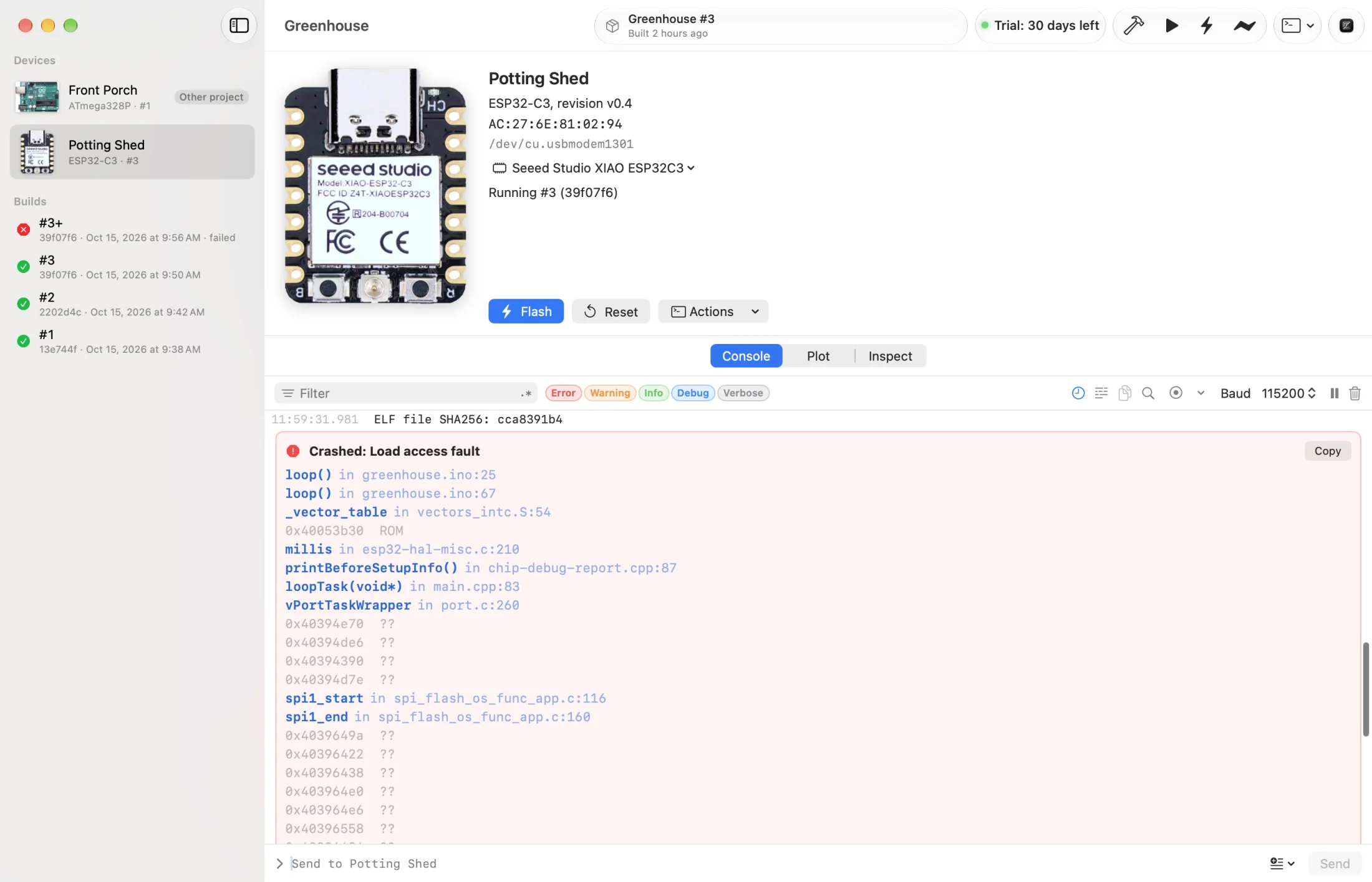
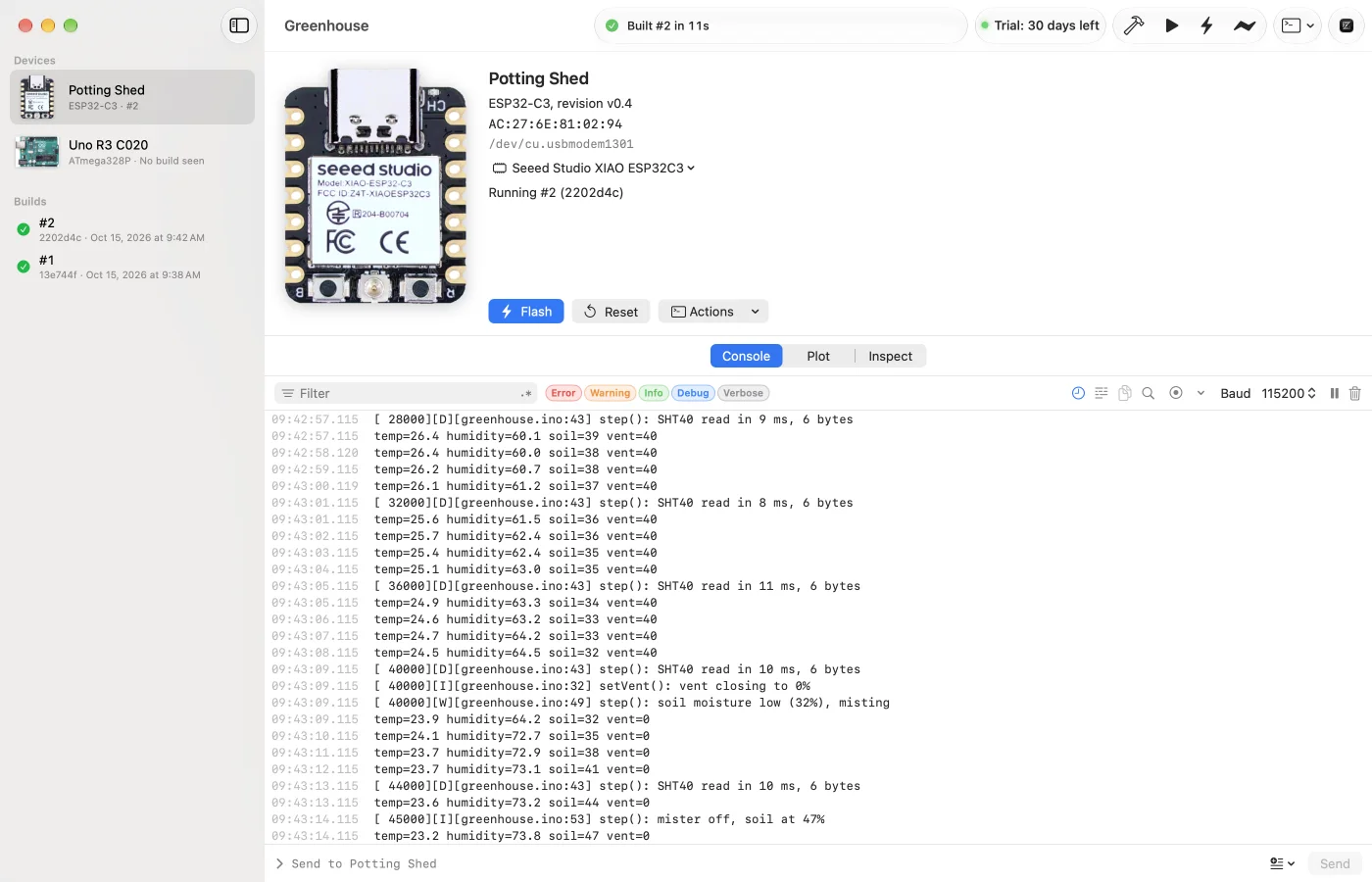
A Mac app for microcontroller firmware. Bench finds and names your boards, builds, flashes, shows serial output, decodes crashes, plots values from your logs, and reads what's actually on a board, while your editor stays your editor.
- Role
- Product design, engineering
- Platform
- macOS
- Years
- 2026
- Built with
- Swift 6 · SwiftUI · Rust · SwiftData · CryptoKit
- Status
- In development
The problem
Firmware work comes with a lot of busywork around the code: finding which port a board landed on this time, closing the serial monitor before every flash, remembering which build each board is running, and reading a crash as a wall of hex addresses.
Bench came out of Cairn. Telling a desk of identical boards apart by port path, and keeping each one on the right build, was enough friction to build a tool for. Cairn became the reference project: if Bench handles a fleet of identical boards running one signed image with over-the-air updates, it handles most hobby projects.
The approach
Bench is not an editor. The code stays in Zed, VS Code, or whatever is already open; Bench does everything around it, and sends build issues and crash frames back to the editor at the right line. A bench command does the same from the terminal: build, flash, and stream a board's serial output.
It's a Mac app on purpose, built in Swift and SwiftUI to behave like one. Underneath, a single Rust helper speaks each board family's flashing protocol, from the ESP32 to the Raspberry Pi Pico, STM32, nRF52 and Teensy. The ESP32 family is tested on real boards; the others upload through arduino-cli, as the Arduino IDE does, until each passes its own hardware checklist.
Decisions that mattered
4 entries
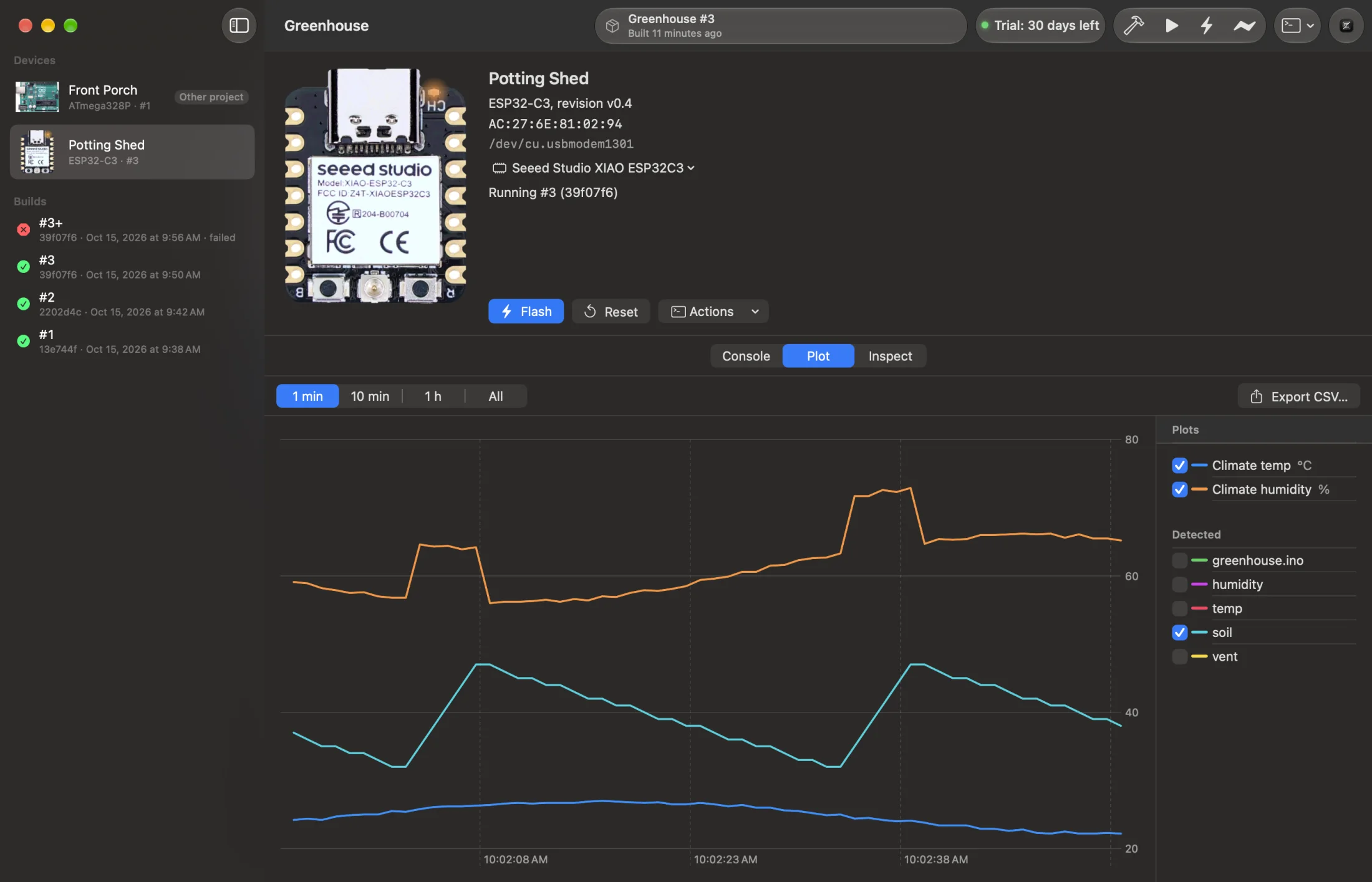
Boards have names, not port paths
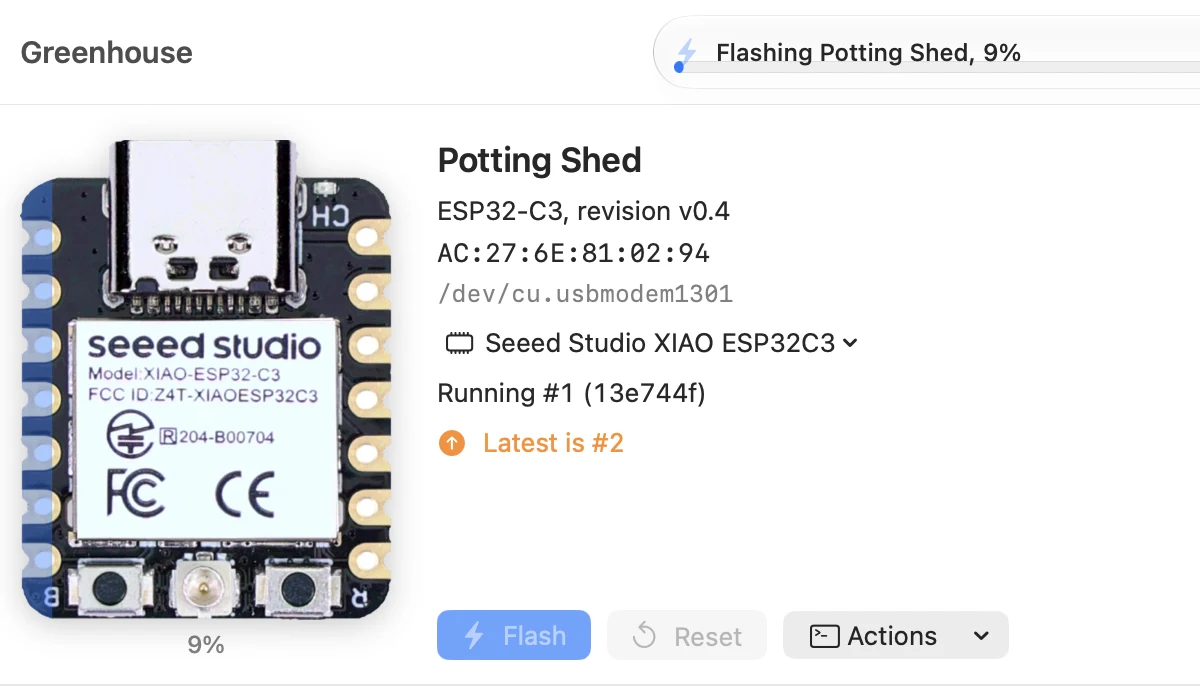
A board is named after the end of its MAC address and keeps that name, and its history, across ports, cables and projects. Beside each name is the build it's running, with a plus when that build had uncommitted changes.
Bench owns the port
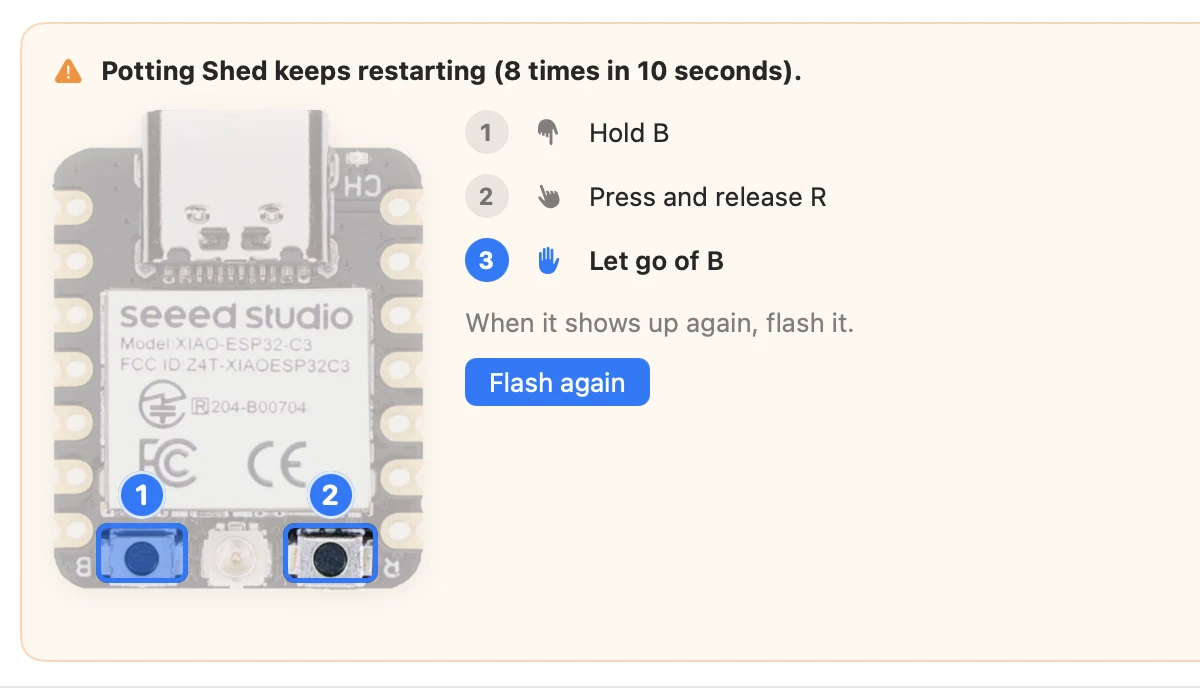
There's no monitor to close before flashing. Bench holds the serial port, hands it to the flasher and takes it back, and never resets a board unless you asked for something that needs it. If another app has the port, Bench says which one.
Every build has a number and a commit
With stamping on, Bench writes the build number and commit into a header the firmware can print, and keeps recent builds' images. A crash is decoded against the build that crashed, not the one you just compiled.
Ask the board, not the records
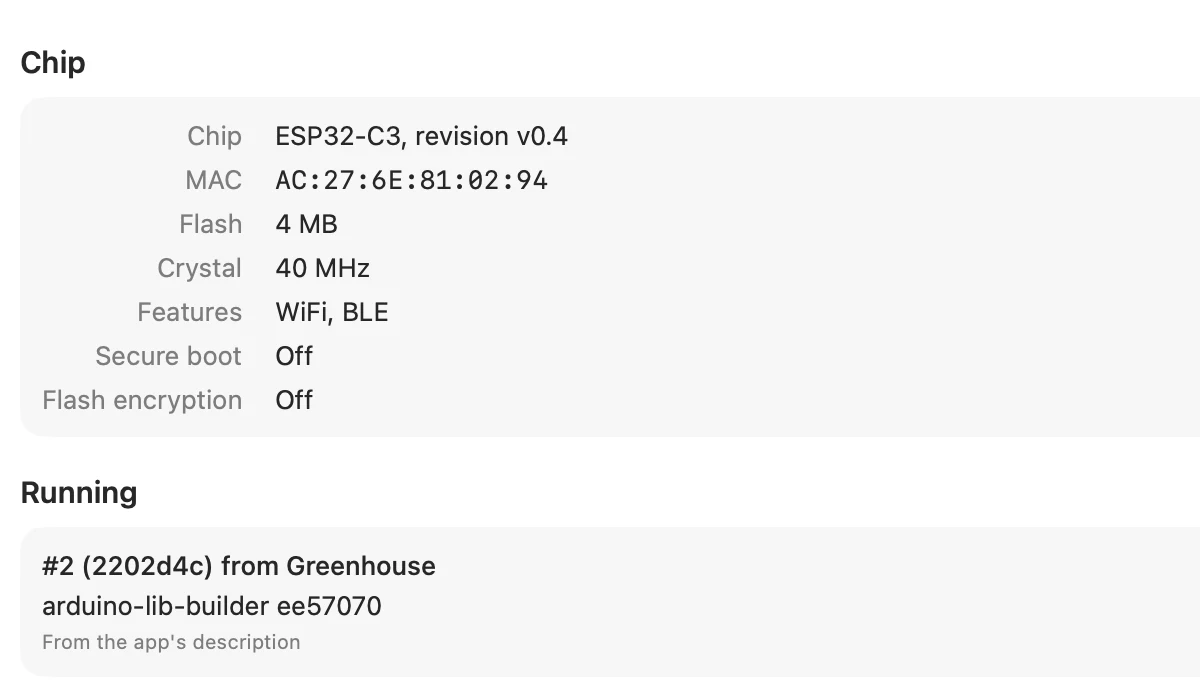
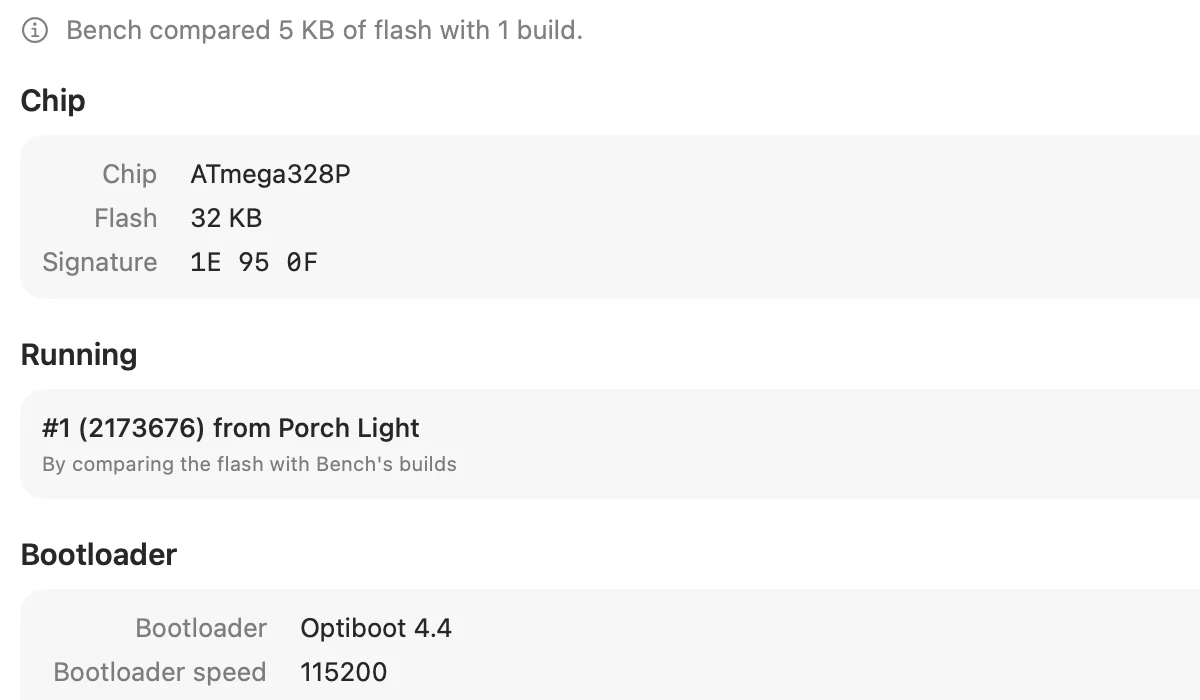
Bench remembers what it flashed onto each board, but Inspect doesn't take its own word for it. It reads the board's flash, with no help from the firmware, and matches what it finds to your builds. After a rolled-back update, or a flash from another tool, you see what's really there.
What it does
At the desk
- Boards appear within a second of plugging in, by name, with the build they're running
-
⌘Bbuilds with arduino-cli, ESP-IDF or your own command;⌘Uflashes - Flash All writes every board in the project, up to six at once
- Crashes decoded to function, file and line, against the build that crashed
- Inspect reads a board's flash with no help from its firmware: chip, MAC, partition table, active slot
- Plot any number from the logs, live or recorded, or save the last 5, 15 or 60 minutes after the fact
Around it
- Opens files at the line in Zed, VS Code, Cursor, Sublime Text, Nova, Xcode and more
-
A
benchcommand for building, flashing and monitoring from the terminal, which scripts and coding agents can use too - Signed firmware packages for over-the-air updates, with the keys kept in the Keychain
-
Writes
bench.jsonand only the files you turn on; never edits.gitignore
Marginalia
Bench and Cairn grew up side by side: Cairn is the reason Bench treats a desk of identical boards as the normal case. Bench isn't out yet. When it is, it's a 30-day trial with no account, then a license bought once.
More figures
From the app